 Prune
PruneYour phone should
follow your schedule.
Choose what's allowed on your phone, and when. Prune follows the plan, even on days you don't.
Plan your phone around your life.
See your week, choose what's available and when, and let Prune follow the plan.
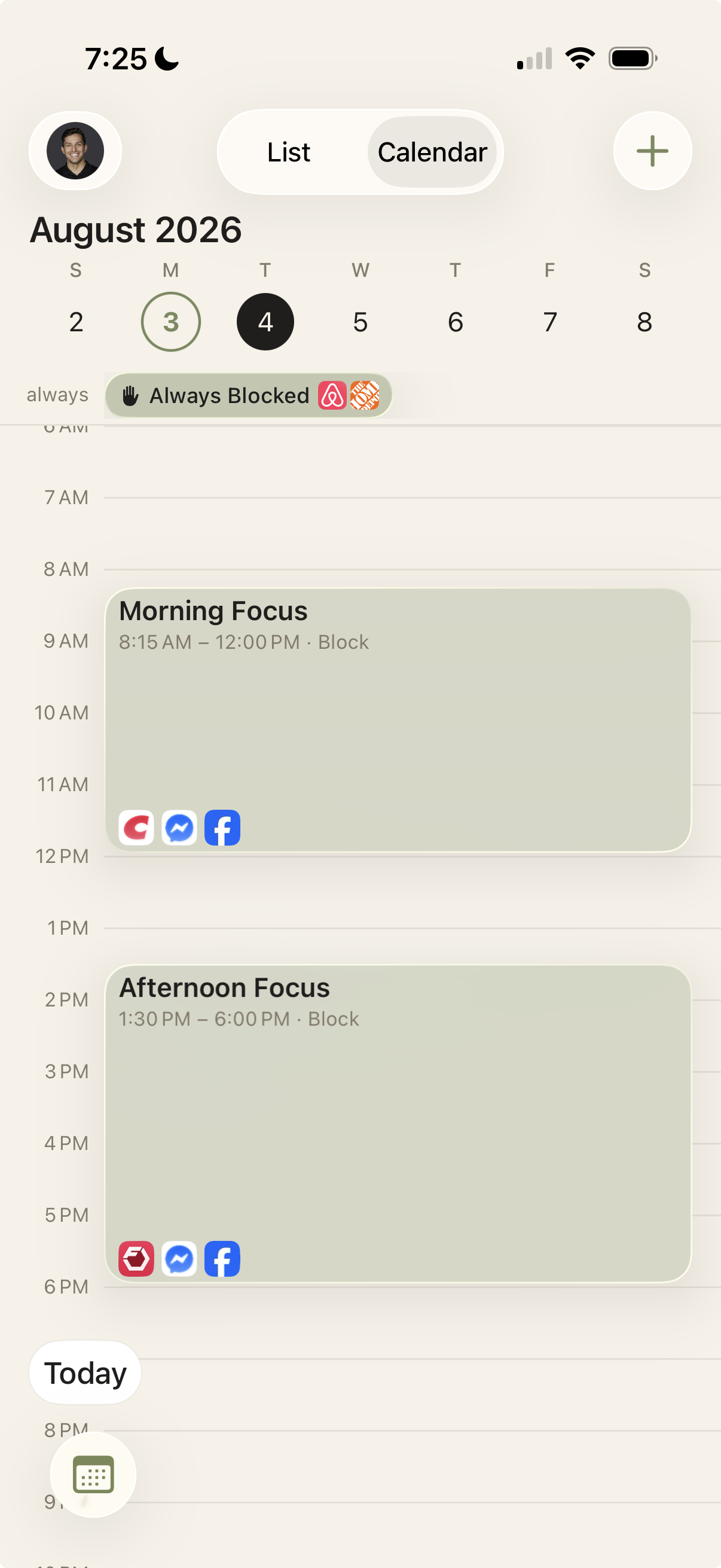
Technology should support your life. Not compete with it.
No two days look the same, so your limits shouldn't either. Prune lets you set different rules for work, rest, family, and focus, instead of one blanket setting for every day of the week.
Set the plan. Prune follows it.
1
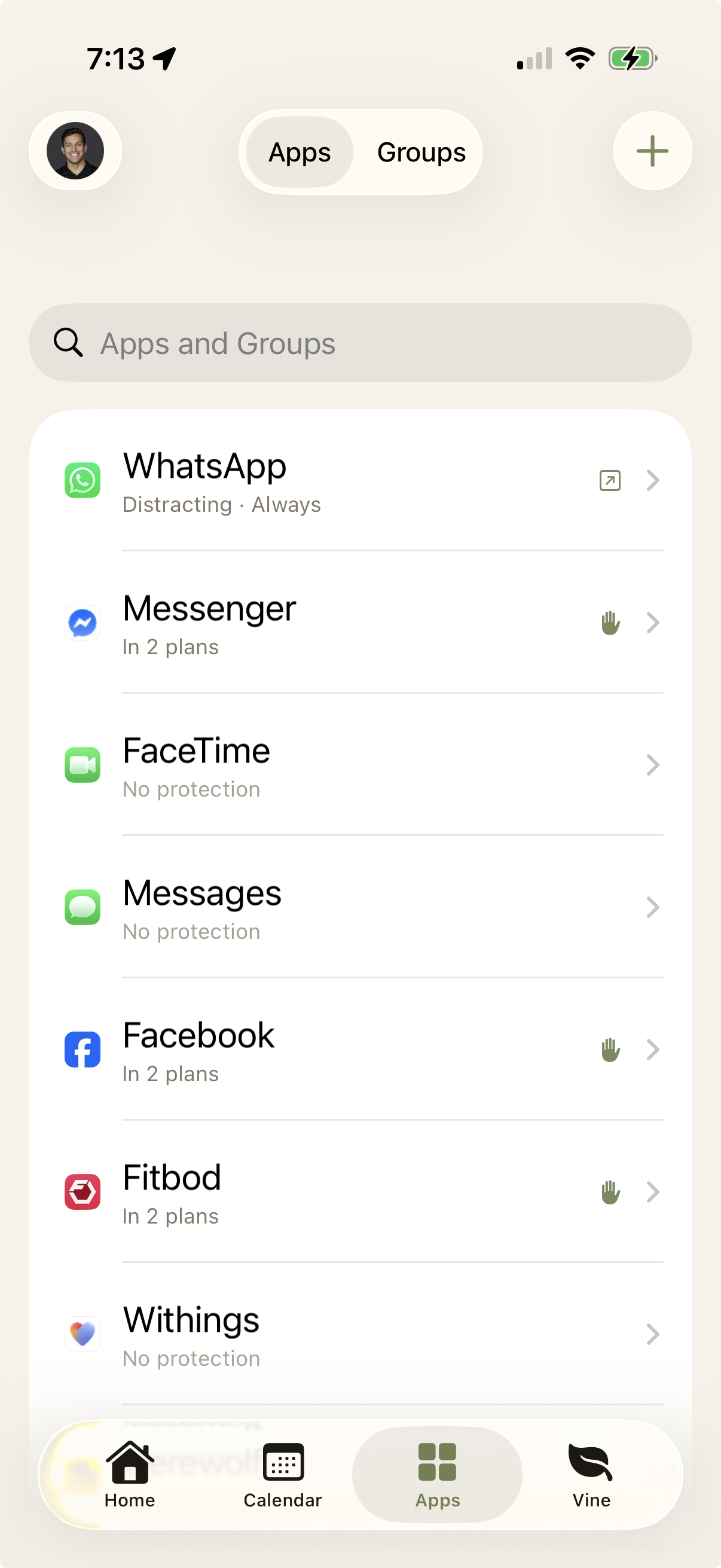
Pick.
Choose the apps, sites, and categories for your plan.
2
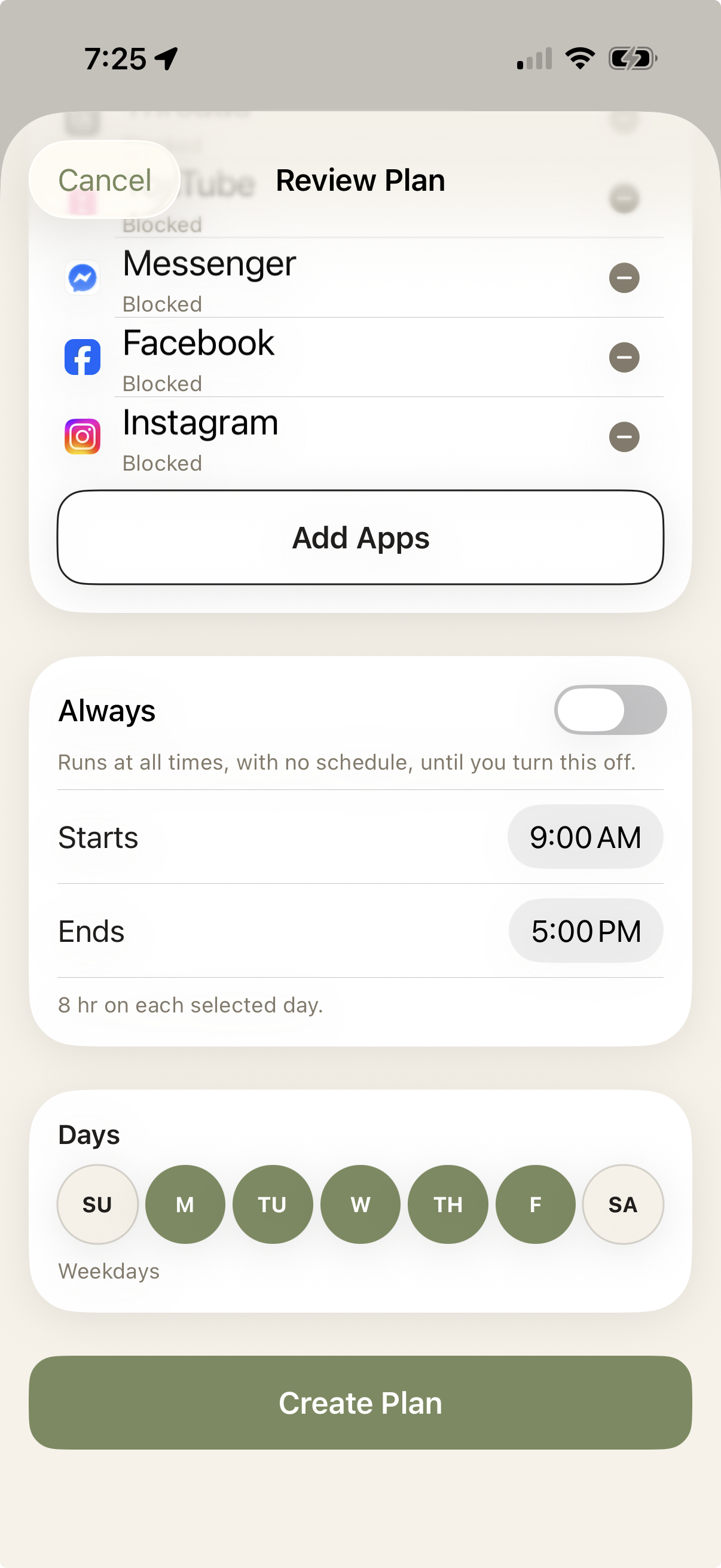
Plan.
Set the days and hours.
3
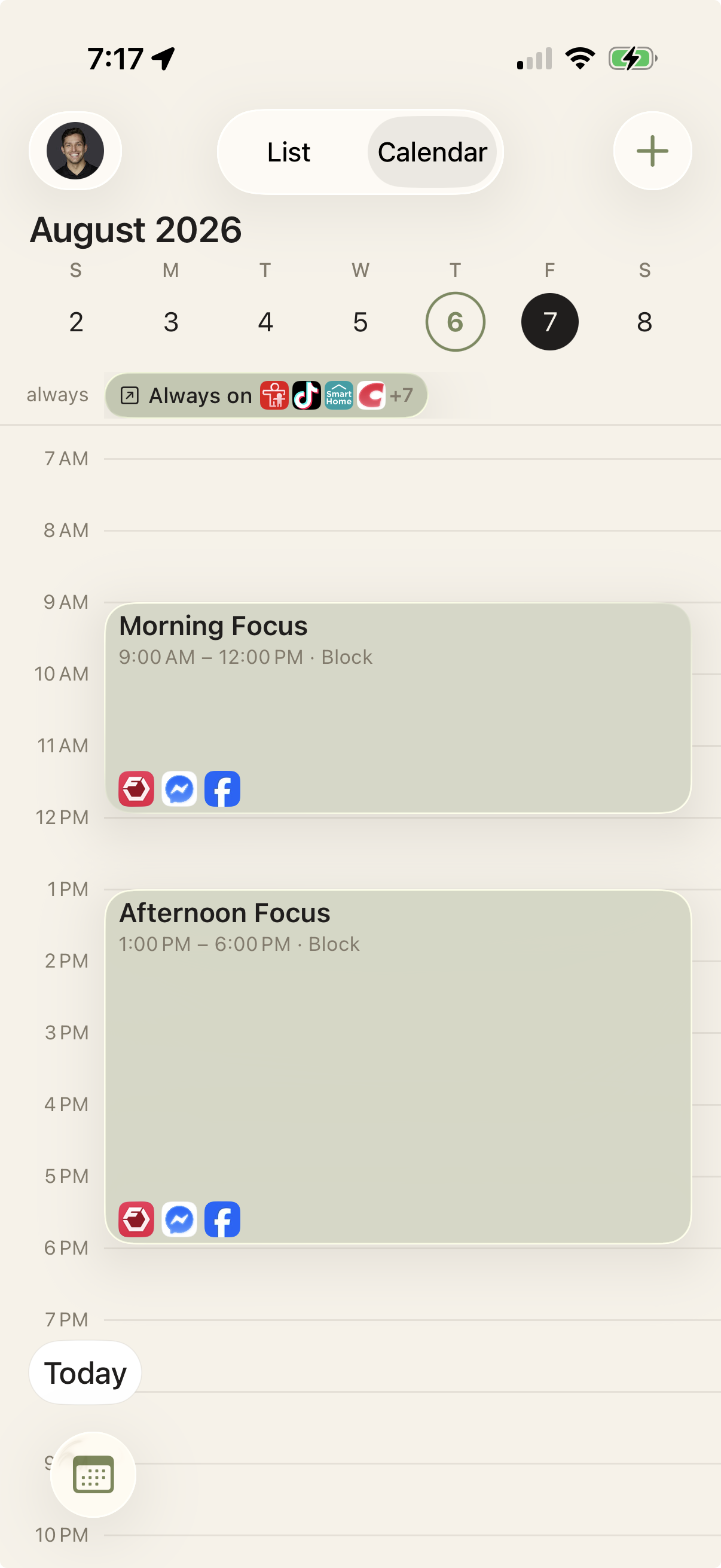
Prune.
Your plan takes effect on schedule.
Make room for what matters.
Set your plan once, and get your attention back for the people and work that matter most.
Join the Invite List
Prune is rolling out in small groups. Join the list and we'll email you when it's your turn.